The AI Assistant is a section, not a single screen. The Playground is where you type; the other five pages are where its usage, history and configuration live. Live admin: smmpanelz.com/go-admin/ai-assistant/playground.
Reading the screenshots. Blue numbered badges mark what you click. Anything that names a real client or service is replaced with a placeholder in the panel's own font — user1, Service 1 — so the figure stays readable without exposing anyone.
Page anatomy
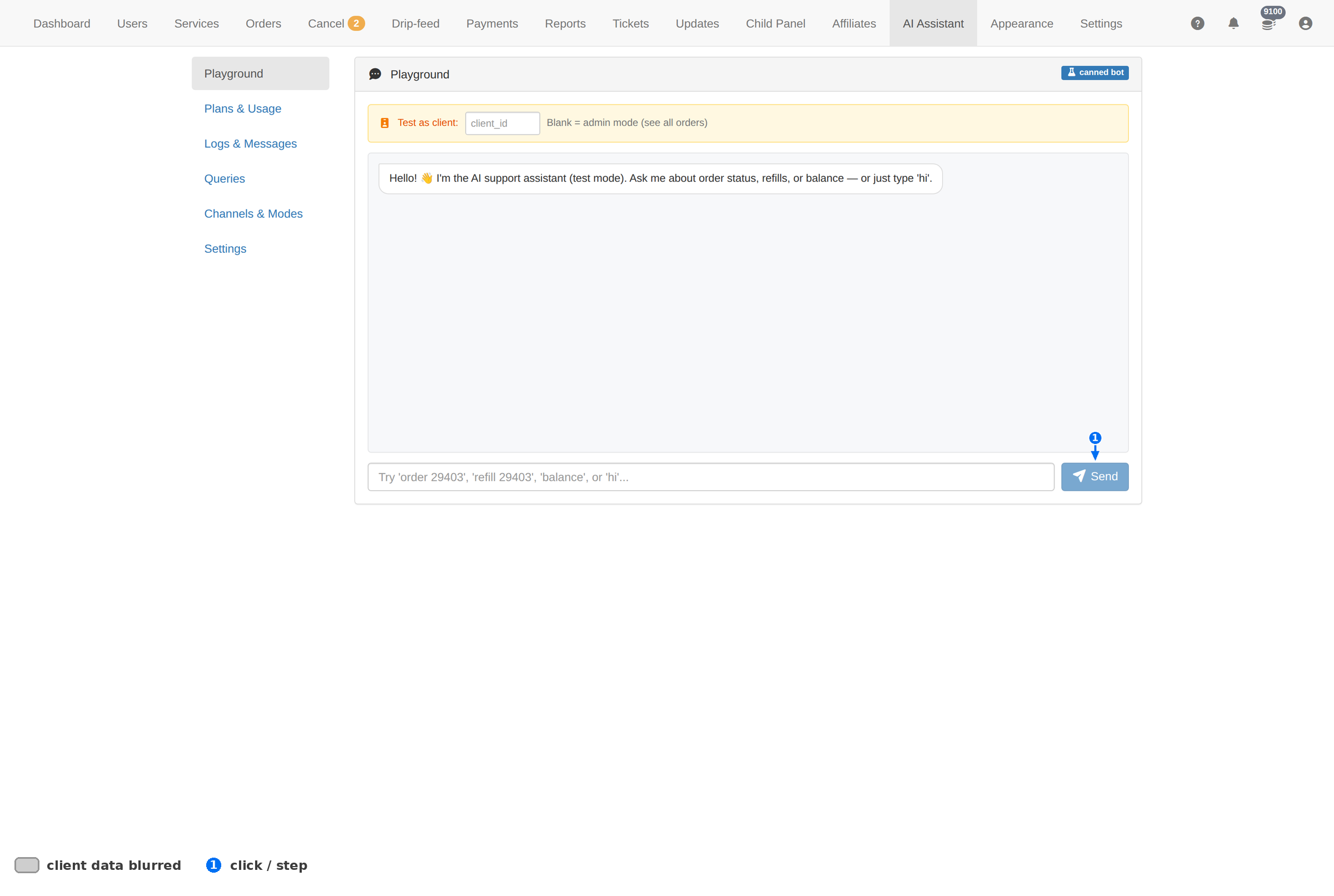
| # | Element | What it does |
|---|---|---|
| 1 | Send | Runs your request against the panel's own data and prints the answer in the same pane. |
| — | Client ID box | Which account your question is about. Without it, a word like balance has no subject. |
| — | Message box | Your question, in plain English. The placeholder shows the shapes it understands. |
What you can ask
The message box suggests the shape itself. The useful ones are look-ups:
| Ask | You get back |
|---|---|
| order 29403 | The order's state, its service and what remains. |
| refill 29403 | Whether that order has a refill attached, and where it is. |
| balance | The balance for the client ID in the box beside the message field. |
| hi | A greeting — the assistant is a chat interface, not only a query tool. |
Fill the client ID box when your question is about a client. The message box alone is ambiguous; the ID is what makes "balance" mean one specific account.
The whole section
| Page | What it is for |
|---|---|
| Plans & Usage | What the assistant costs and how much you have used — the page to check before a busy day. |
| Logs & Messages | The conversation history. Where you go to see what was actually asked and answered. |
| Queries | The individual data look-ups the assistant ran — useful when an answer looks wrong. |
| Channels & Modes | Which channels the assistant answers on, and how it behaves on each. |
| Settings | The assistant's own configuration. |
What it is not
| It will | It will not |
|---|---|
| Look a record up and describe it | Change anything — it is read-only |
| Answer in plain English | Replace the Orders page for real work |
| Save you a few clicks on a quick question | Be a source of truth you quote to a client |
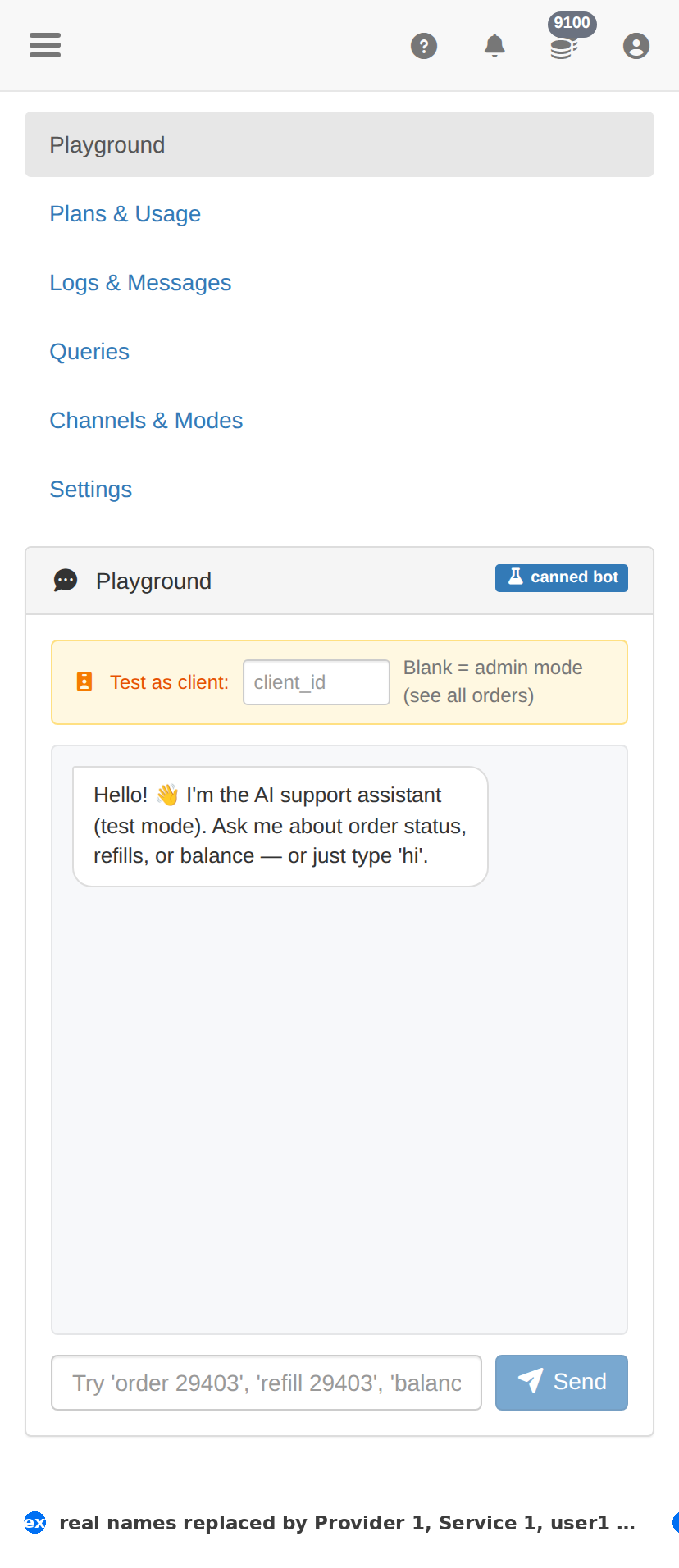
On a phone
Troubleshooting
Send does nothing
- Type a message first — an empty box sends nothing.
- Reload the page; the playground keeps its state in the browser session.
The answer does not match the Orders page
- Reload both pages — the assistant answers from a snapshot.
- Trust the Orders page; that is the record the client sees.
It cannot find an order you know exists
- Give it the bare number, as in order 29403.
- Confirm the order exists first by searching it on the Orders page.
Usage is climbing faster than expected
- Open Plans & Usage and read the period's totals.
- Open Logs & Messages and look for one account or one query shape repeating.
- If a client is calling it in a loop, that is an API-key question — rotate the key from Users → Actions.