A child panel is a reseller's own panel built on your catalogue: their domain, their branding, your services underneath. This page is where those panels are listed. Live admin: smmpanelz.com/go-admin/child-panels.
Reading the screenshots. Blue boxes mark a data value, blue numbered badges mark what you click, domains read as panel1.example.com and owners as user1
Page anatomy
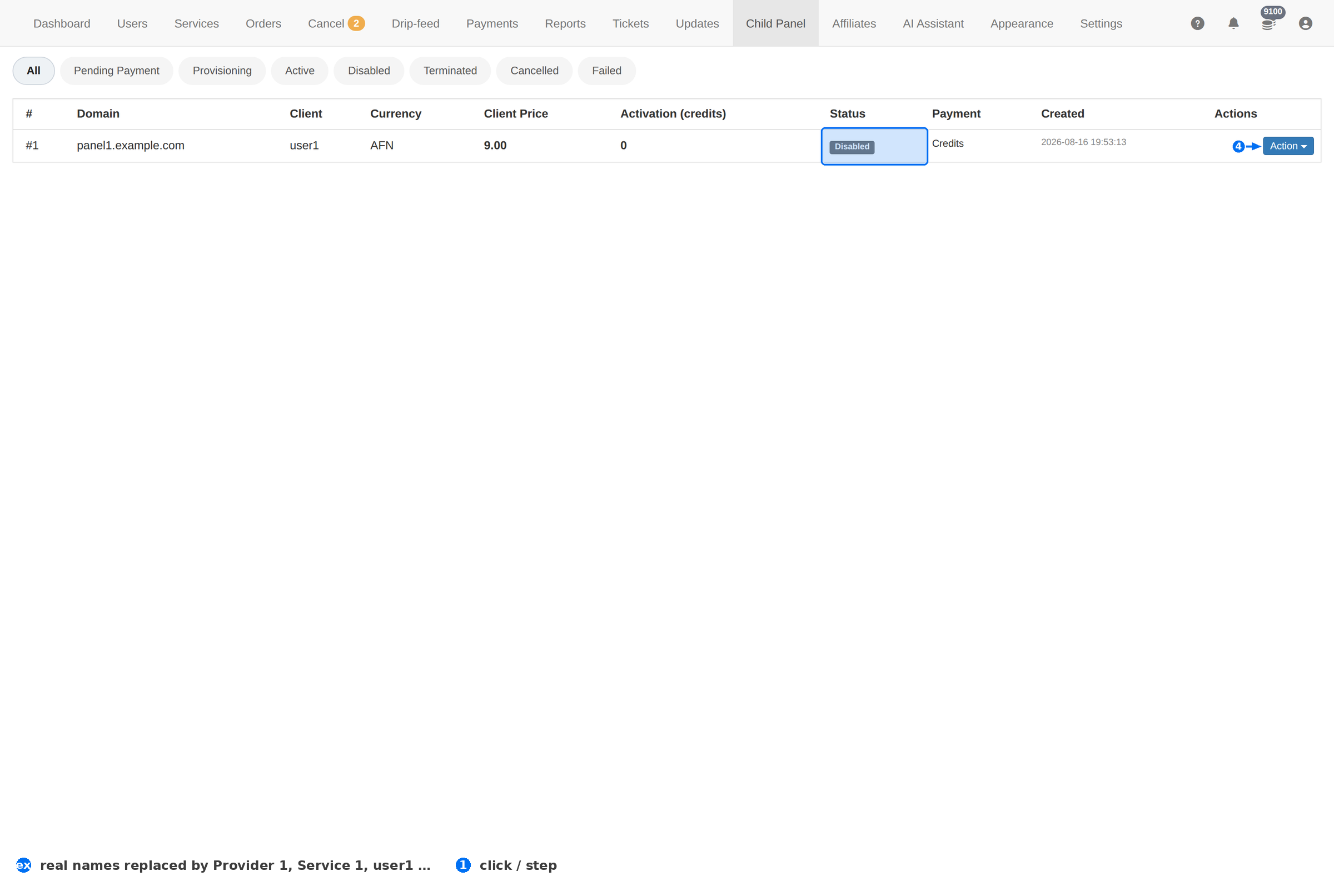
| # | Element | What it does |
|---|---|---|
| 1 | State tabs | Every child panel, grouped by where it is in its life: All, Pending Payment, Provisioning, Active, Disabled, Terminated, Cancelled, Failed. |
| 2 | Action | The per-panel menu — manage it, or take it down. |
Column reference
| Column | Meaning |
|---|---|
| # | Row number. |
| Domain | The address the child panel runs on. Blurred in these screenshots. |
| Client | The account that owns the child panel — your reseller. |
| Currency | The currency that panel bills its own clients in. |
| Client Price | What the reseller pays you, per 1000, for the services on their panel. |
| Activation (credits) | Credits charged or consumed to activate the panel. |
| Status | Active, Disabled or Failed. |
| Payment | How the reseller pays you — Credits means it is drawn from their balance. |
| Created | When the panel was set up. |
How a child panel works
- The reseller gets their own front end. Your catalogue sits behind it, at the price in Client Price.
- They set their own prices. Whatever they charge their clients is their margin on top of what they pay you.
- They pay from their balance. Orders on a child panel draw on the owner's credits, so a reseller who runs out stops selling.
- You still deliver. The order lands in your panel like any other — same providers, same queue.
A child panel is a wholesale customer, not a separate business. Watch the owner's balance on Users: a reseller who runs dry takes their clients' orders down with them.
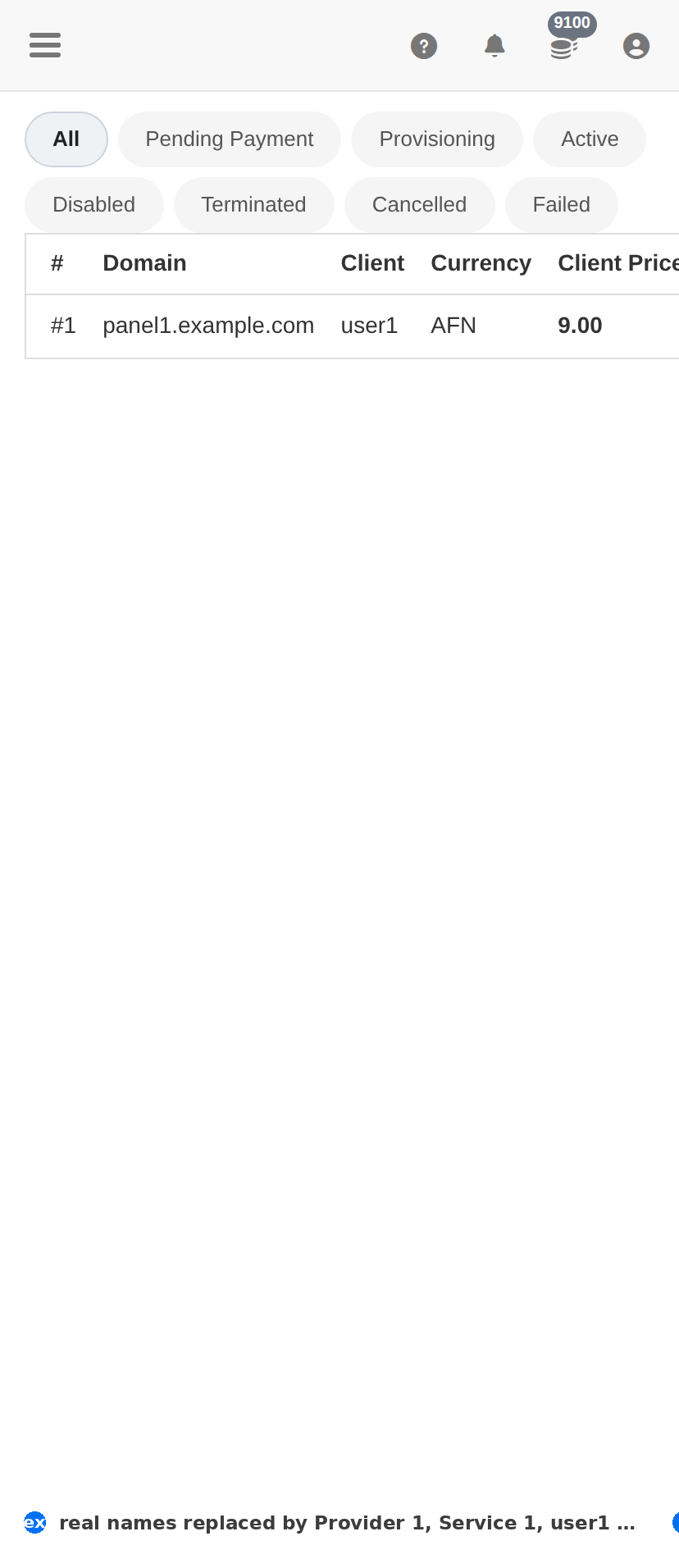
On a phone
Troubleshooting
A child panel is Failed
- Open its row and check the domain resolves — a DNS or certificate problem shows up here first.
- Check the owner's balance; activation draws on credits.
- Compare the Created date with any hosting change you made — a moved server breaks a child panel that points at the old address.
The reseller's orders are not appearing
- Check the panel is Active and the owner has credits.
- Look the owner up on Users and read their Spent column — zero spend on an active reseller means orders are not reaching you.
You want to stop a child panel
- Disable it rather than deleting: the owner's clients keep their history, and you keep the option of turning it back on.
- Tell the owner before you do it — their clients will see it stop working.