How to enable a payment method
Turn on a gateway so clients can add funds themselves.
A gateway that returns success in the panel can still fail to settle, and a blocked webhook is invisible until a client says they paid and their balance never moved.
What it controls
- switch a gateway on for clients
- test it with a small real payment
- check the webhook, not just the key
How to set it
- Open Settings → Payment methods. The gateways available on your panel are listed.
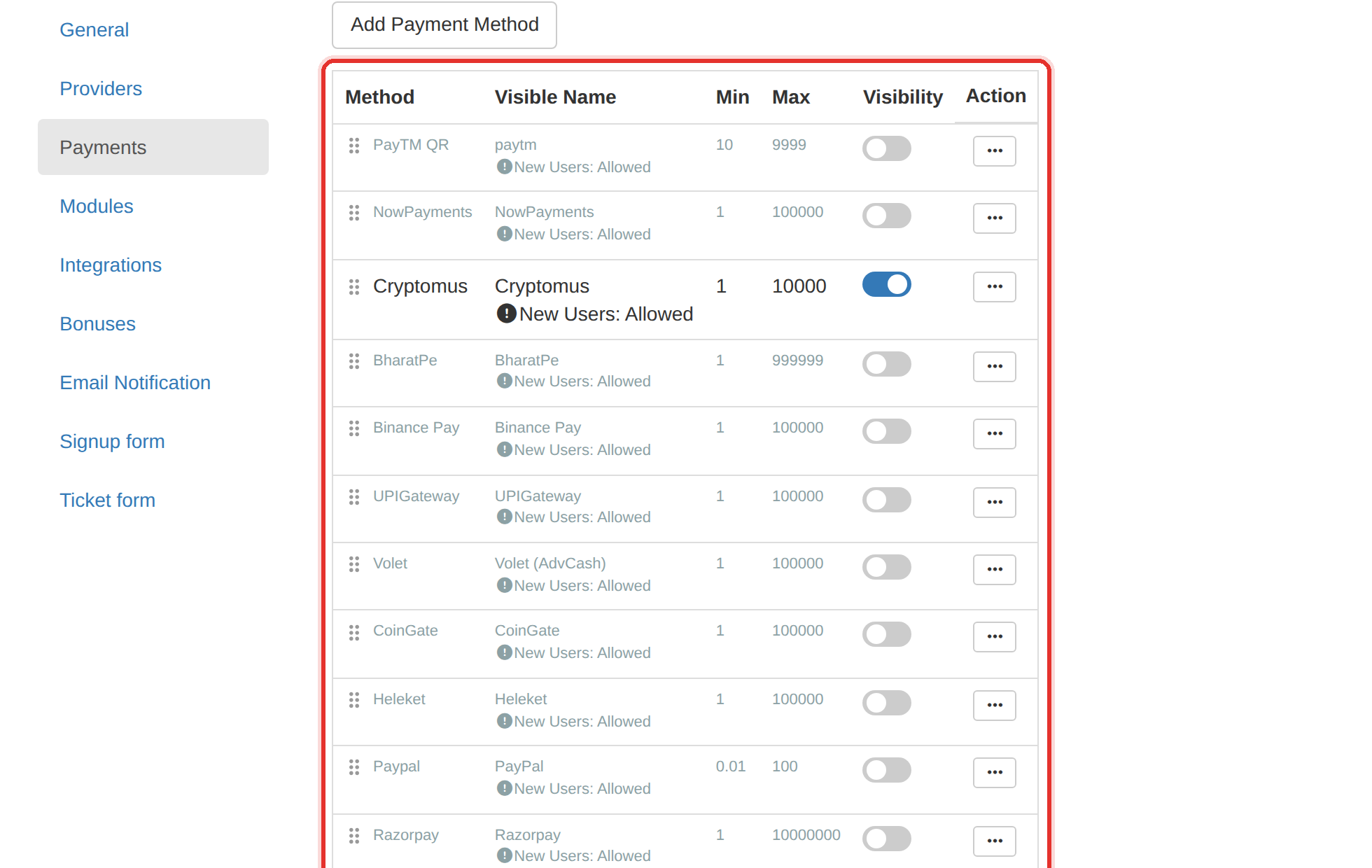
The payment methods list. Switch on the gateway you want clients to use. - Find the gateway you want and switch its status on.
- Enter its credentials — the API key and any secret the gateway issued you.
- Save, then make a small real payment on the client site yourself.
- Open Payments and confirm the payment appears as Completed and the balance moved.
A payment that completes at the gateway but never credits the panel is almost always a blocked webhook — the gateway cannot call your panel back. Check that before you assume the key is wrong.
Disable a gateway rather than deleting it. A gateway with history should stay so old payments still reconcile.
To learn more, see the Payments.