How to suspend a user
Block a client from ordering and from the API without deleting anything.
Suspension is reversible and destroys nothing, which makes it the correct first move on abuse or a chargeback — you can undo it if you turn out to be wrong.
What it controls
- stop a client ordering and using the API
- keep their history intact
- do it in bulk for a wave of fake signups
How to set it
- Open Users and find the client — search by ID, or filter Status → Unconfirmed for fake signups.
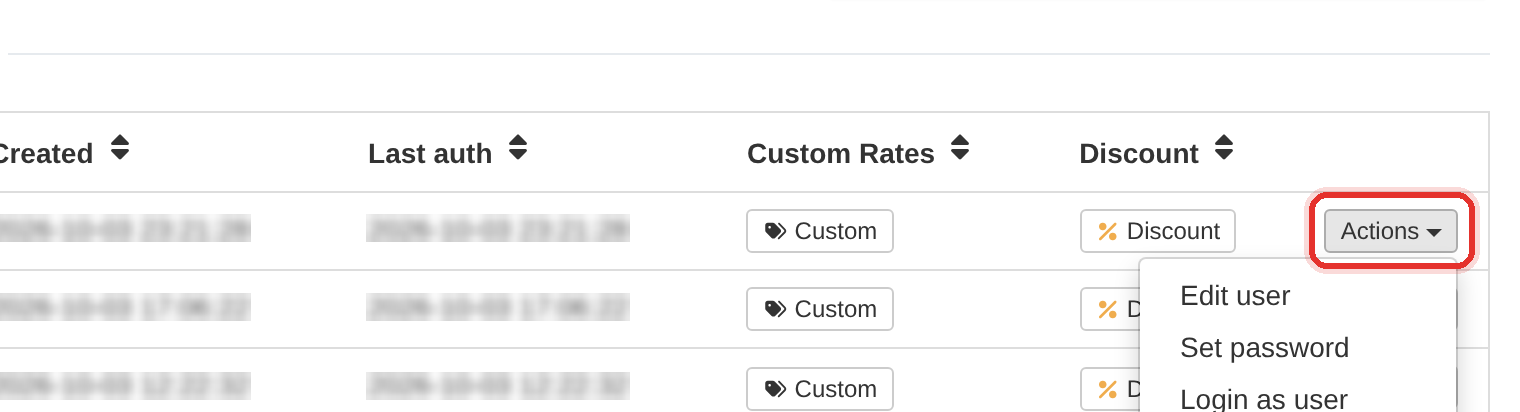
Actions at the end of the row. - Click Actions at the end of the row. A menu opens.
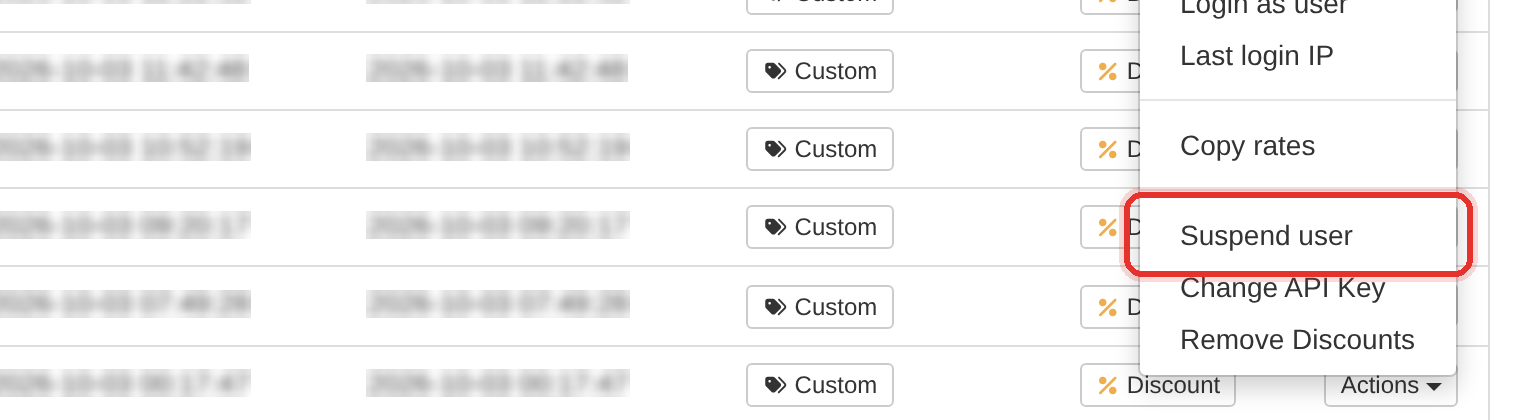
Choose Suspend user — on an already-suspended account this entry reads Activate user. - Choose Suspend user. A Confirm Action dialog asks if you are sure.
- Press Proceed. The client's Status column changes to Suspended straight away.
- To reverse it, open Actions again — the entry now reads Activate user.
Bulk is the same menu. Tick the checkboxes on several rows — or the header checkbox for the whole page — and the toolbar turns into a bulk bar with Suspend and Activate.
Bulk actions hit every selected row, including rows on the page you did not scroll to. Check the counter in the bulk bar before you confirm.
To learn more, see the Users guide.