The Options menu
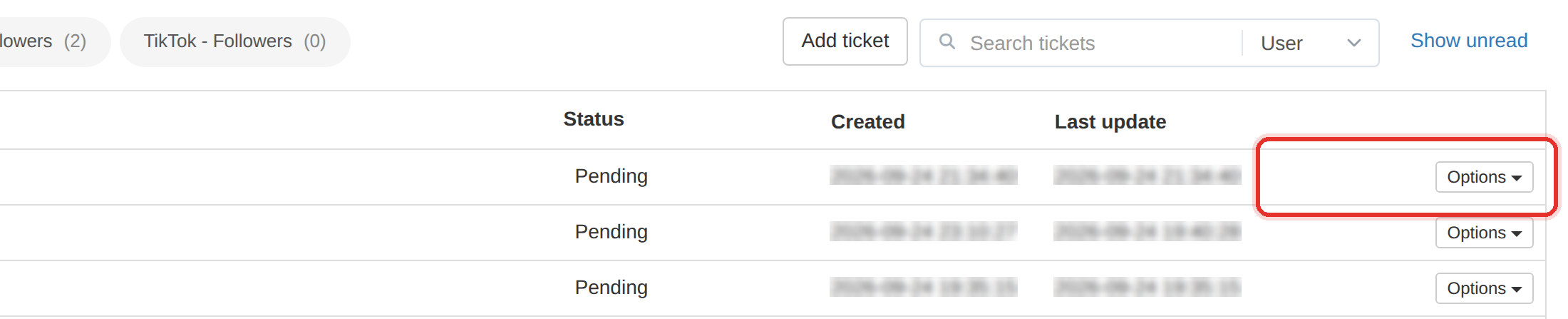
The per-row Options menu — the only row menu in the admin labelled Options rather than Actions.
Delete destroys the evidence: the thread, the history and the proof of what was agreed. Close a ticket; do not delete it.
What it controls
- the state of one ticket, from its row
- whether a request can still receive replies
- whether a ticket is removed for good
How to set it
- Open Tickets.
- Find the ticket's row and click Options at the end of it.
- The menu lists Mark as Unread, Lock support request or Unlock support request, Close support request and Delete support request — some entries appear only when they apply.
| Option | What it does |
|---|---|
| Mark as Unread | Puts the ticket back in the unread list |
| Lock support request | Stops further replies on the thread |
| Unlock support request | Re-opens the thread to replies |
| Close support request | Marks the ticket finished |
| Delete support request | Removes the ticket and its thread permanently |
Delete destroys the evidence. The client, the thread and what you promised all go with it. If a request is settled, close it — never delete it.
The row button is Options here. Every other list in the admin uses different wording, so do not go looking for an Actions menu on Tickets.
To learn more, see the Tickets guide.