Reading the child-panel columns
Each row is one reseller's panel; the columns tell you who they are, what they resell and whether they can pay for it.
None of these columns is safe to skip: Currency and Client Price decide your margin, and Activation credits and Status decide whether the panel runs at all.
What it controls
- who the reseller is and what they sell
- what they are charged and in what currency
- where the panel sits in its lifecycle
How to set it
- Open Child Panel.
- Read across a row: #, Domain, Client, Currency, Client Price, Activation (credits), Status, Payment, Created.
- Click Action at the end of the row to act on it.
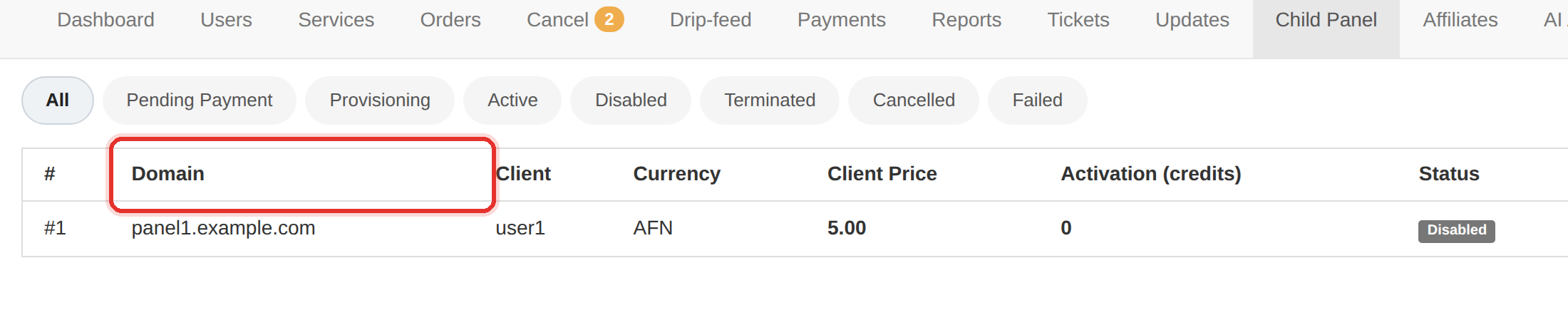
| Column | What it shows |
|---|---|
| # | the child-panel order number |
| Domain | the reseller's own domain |
| Client | the reseller's account on your panel |
| Currency | the currency their panel bills in |
| Client Price | what their clients pay |
| Activation (credits) | the activation fee, in credits |
| Status | where the panel is in its lifecycle |
| Payment | how the activation was paid |
| Created | when the order was placed |
| Actions | the Action button for this row |
Read Client Price against Currency first. A reseller priced in a currency you do not hold is a rate risk before it is a customer.
To learn more, see the Child panels guide.